Free Online Image Tools
No Signup, No Watermarks
Professional utility tools running completely client-side in your browser. Fast, secure, and 100% private. Your images never touch our servers.
Why Choose BGImageSnap.com?
Modern image utilities designed with privacy and efficiency in mind.
Processed in Your Browser
We process all images locally on your device using Canvas and WebAssembly. Your photos never leave your device, ensuring absolute privacy.
Lightning-Fast Speeds
No uploading delays and no server queues. Get high-resolution cropped or compressed assets instantly in milliseconds.
Free Forever, No Signup
Skip the login forms and paid subscriptions. Enjoy unlimited conversions, zero watermarks, and free downloads on every single tool.
Free Online Utilities Directory
Select a tool to get started. No usage limits, no credit cards required.
Background Remover
Automatically isolate faces and objects from backgrounds in seconds. Download high-definition transparent PNGs or replace them with custom solid colors.
Try Background RemoverPassport Photo Maker
Automatically align, crop, and resize any photo to official sizes for USA, UK, EU, India, Canada, and Australia. Remove and replace passport backgrounds.
Try Passport Photo MakerID Photo Grid Maker
Create print-ready grids of your passport photos. Fit multiple copies on standard 4x6", 5x7" or A4 sheets with dashed cutting guides. Save as high-res JPG or PDF.
Try ID Photo Grid MakerImage Compressor
Reduce the file size of your JPG, PNG, and WEBP images in bulk. Customize target file sizes or quality levels to compress files by up to 80% without quality loss.
Try Image CompressorImage Resizer
Resize images to standard presets for social media (Instagram, Facebook, LinkedIn, YouTube, Twitter/X) or input custom dimensions while locking aspect ratio.
Try Image ResizerFormat Converter
Batch convert image file formats between PNG, JPG, WEBP, and static GIF. Simple Canvas-based processing with zero quality degradation.
Try Format ConverterHow It Works
Simple 3-step browser workflow. Safe, instant, and high quality.
Upload Image
Drag & drop or select an image from your device. Standard formats (PNG, JPG, WEBP) are supported.
Select Settings
Adjust size crops, quality sliders, backgrounds, or dimensions in the live preview workbench panel.
Instant Download
Export your finished assets in high-definition quality to your local downloads folder in one click.
Guides & Image Editing Resources
Read our latest tutorials to learn about passport photo guidelines and design workflows.
 Guides
Wing PNG How to Download and Use Transparent Wing Images
Introduction You want to add wings to a photo. Maybe for a fantasy post, a logo, a social media graphic,…

 Guides
Color Black Background Portrait How to Create a Professional Black Background Photo
Introduction You took a portrait. The person looks good. But the background is messy or gray. You want a clean,…
 Uncategorized
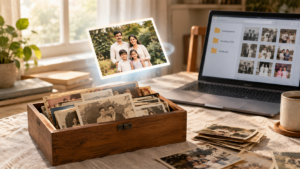
Best photo scanning services 7 Proven Options to Digitize Old Photos
Introduction You found a shoebox under the bed. Inside: faded snapshots of grandparents you never met. Birthday parties from the…
Frequently Asked Questions
Everything you need to know about processing images on BGImageSnap.com.
Yes, absolutely. BGImageSnap.com operates 100% client-side. All processing, face detection, background removal, compression, resizing, and conversions take place within your browser's local sandbox memory. No files are uploaded to our servers, assuring total privacy and security.
Yes. The background remover tool utilizes Google MediaPipe AI model local script libraries inside your browser. Because there are no processing costs on our servers, we offer this utility completely free of charge, with no signups, no usage credits, and no watermarks.
We support official size standards for the USA (2x2 inches / 51x51mm), United Kingdom (35x45mm), Canada (50x70mm), Schengen/European Union (35x45mm), India (51x51mm), and Australia (35x45mm). You can also enter custom height and width specifications in millimeters and DPI for other standards.
Our Image Compressor supports batch uploads up to 10 images at once. Simply drag and drop multiple JPG, PNG, or WEBP images into the upload zone, adjust the quality target, and compress the batch. You can download individual compressed files or all in a single action.
Yes! Crop your portrait using the Passport Photo Maker, then click "Create Print Grid" to open the ID Photo Grid Maker. Choose your print sheet size (e.g. 4x6" or A4), and the grid maker will align the images with dashed cutting guides. Download the high-res JPG or print-ready PDF and print at 100% scaling.